How to Choose a 10G SFP Copper Module?
Choosing a 10g Sfp Copper module starts with the equipment it must connect. These plug-in transceivers use an RJ45 port to link a switch or server to twisted-pair Ethernet cabling. Their convenience is clear: existing copper runs may avoid new fiber installation. But the label “10G” does not guarantee a working link.
Check the exact switch model, firmware, and supported transceiver list before buying. Then confirm the module’s speed, power draw, operating temperature, and rated cable distance. Many 10GBASE-T SFP+ modules support links up to 30 meters, but the rating depends on the specific model and cable conditions. Read the manufacturer’s data sheet, not just a marketplace description. Cat6a cabling is a common choice for 10-gigabit copper links, yet connectors, cable length, and installation quality also matter.
Heat matters. A copper transceiver can use more power and run warmer than an optical module. In a densely packed switch, that difference may affect port or chassis temperatures. Check the vendor’s thermal guidance and leave room for airflow. If possible, test one module under normal traffic before standardizing across a rack. A brief bench test is useful, but it cannot reveal every issue in a busy network.
The right choice balances compatibility, reach, cost, and reliability. Consider the actual path between devices: a short office patch cable has different needs from a long, warm equipment-room run. No single specification settles every case. Compare documented requirements, and treat uncertain compatibility as a reason to verify—not guess.
What a 10G SFP Copper Module Is and How It Works
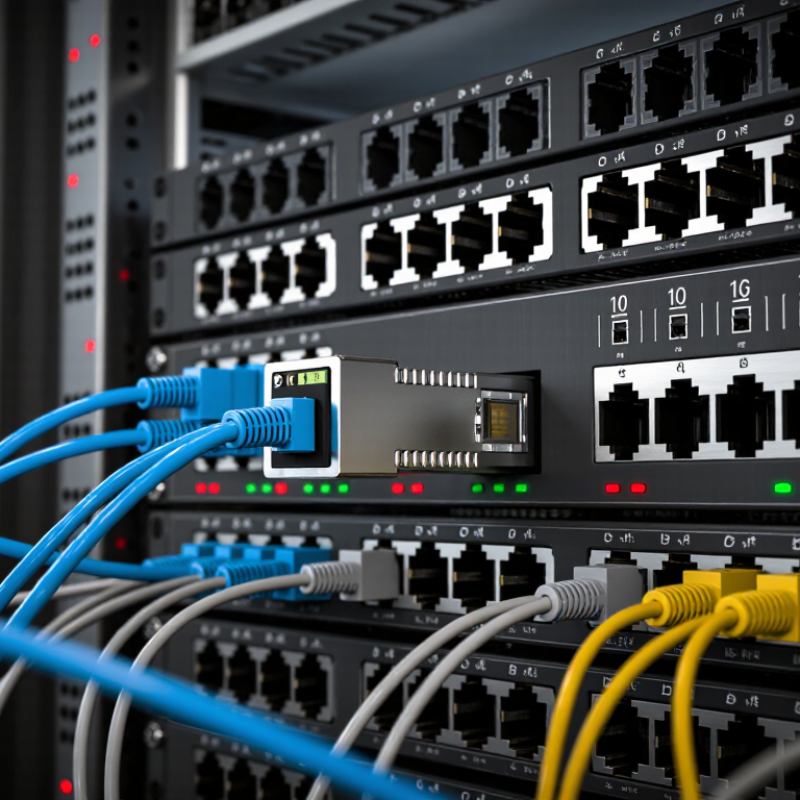
A 10G SFP copper module is a compact transceiver that fits into an SFP+ switch or server port and provides an RJ45 socket for twisted-pair Ethernet cable. Inside, its electronics translate the host’s 10-gigabit electrical signal into 10GBASE-T signaling, and back again. The link uses digital signal processing to manage noise, echoes, and interference across the cable. The result looks familiar: a standard network cable clicks into the module. No fiber patch cord is involved.
Reach needs careful attention. IEEE 802.3an specifies 10GBASE-T operation up to 100 meters over suitable Category 6A cabling, and the Ethernet Alliance’s 2024 Ethernet Roadmap identifies 10GBASE-T as a 10-gigabit copper technology. But that standard reach does not automatically apply to every SFP+ module. Many are rated for shorter distances, often around 30 meters, and their power draw can make the port area warm. Heat is real. Before installation, check the module’s stated cable category, maximum distance, and host-port compatibility. This detail is easy to overlook: a cable that works at a shorter run may fail near the module’s rated limit, especially in a crowded rack. I would treat the published reach as a ceiling, not a promise.
How to Check Switch and Port Compatibility
Before inserting a 10G copper module, confirm the port is an SFP+ cage that supports 10GBASE-T modules. A matching shape does not guarantee compatibility. Check the switch’s compatibility list, port speed settings, firmware notes, and module power limits. Some ports accept only specific module types, while copper modules can draw more power and generate more heat than optical modules. Check the cage. Leave airflow around neighboring ports, especially in a fully populated switch.
Next, verify the cable and reach. IEEE 802.3an defines 10GBASE-T operation over compliant cabling up to 100 meters; however, many SFP+ copper modules have shorter reach limits. Read the module’s own specification, not just the cable rating. Cat6A is a common choice for longer 10GBASE-T runs, but the switch port, module, and cable must all support the intended link. Ethernet Alliance roadmaps track 10GbE as an established Ethernet speed, but that does not certify every module for every switch. Check the exact port table. A link may come up at 1G instead of 10G if speed negotiation or configuration is wrong. Record the port, module model, cable category, and measured distance before troubleshooting; one overlooked setting can waste an afternoon.
How to Match Cable Type and Transmission Distance
How to Choose a 10G SFP Copper Module?
How to Match Cable Type and Transmission Distance
For a 10G SFP copper module, match the twisted-pair cable to the distance and installation conditions. A 10GBASE-T link can reach up to 100 meters over suitable Cat6A cabling. Cat6 may support 10G over shorter runs, often up to 55 meters, but actual results depend on cable quality, connectors, and nearby interference. Measure the full channel, including patch cords. A few extra meters can matter.
Tips: Check the module’s distance rating and cable category before ordering. Confirm the switch supports the module, too.
Distance is not the only trade-off. Copper modules can use more power and produce more heat than some optical options, so check the device’s power and temperature limits. For a short rack connection, a copper module may be convenient. For a long route or a tightly packed switch, it may not be the best fit. Don’t assume every Cat6 cable will behave the same; older or poorly terminated runs can disappoint. Verify the cable path and test the link after installation.
How to Choose a 10G SFP Copper Module? - How to Match Cable Type and Transmission Distance
| Connection Type | Recommended Cable | Typical Maximum Distance | Best Use Case | Selection Notes |
| 10GBASE-T SFP+ RJ45 module | Cat 6A twisted-pair Ethernet cable | Often up to 30 m with an SFP+ module; standard 10GBASE-T structured cabling can reach 100 m | Connecting an SFP+ switch port to a nearby RJ45 Ethernet device | The module’s own reach is usually the limiting factor. Check its specification for supported cable category, link distance, power, and temperature requirements. |
| 10GBASE-T over structured cabling | Cat 6A channel | Up to 100 m under applicable cabling standards | Permanent building cabling or longer 10GBASE-T links | A standard 100 m channel does not mean an SFP+ RJ45 module will support 100 m. Confirm the transceiver’s rated reach before installation. |
| 10GBASE-T over shorter legacy cabling | Cat 6 channel | Up to 55 m in qualifying installations | Upgrading existing Cat 6 cabling where the link is relatively short | Reach depends on installation quality and crosstalk conditions. Verify the complete channel and module specifications; Cat 6A is the safer choice for new 10G cabling. |
| 10G SFP+ direct attach copper (DAC), passive | Factory-terminated twinax copper cable | Commonly a few metres; exact maximum is cable- and equipment-dependent | Short switch-to-switch or switch-to-server links in the same rack | Choose a supported SFP+ DAC length and confirm compatibility at both ends. DAC is not an RJ45 transceiver and does not use Cat 6 or Cat 6A patch cable. |
| 10G SFP+ direct attach copper (DAC), active | Factory-terminated active twinax copper cable | Can exceed passive DAC reach; exact maximum is product-dependent | Short-to-medium equipment links where a passive DAC is insufficient | Check the cable’s stated length, power requirements, and compatibility with the devices at both ends. |
Quick selection rule: For an RJ45 SFP+ module, match the cable category to the module’s datasheet and use the module’s rated reach—not the cable category’s maximum channel distance—as the practical limit. For very short rack links, compare the cost and compatibility of a DAC.
How to Verify Module Specifications Before Purchase
How to Choose a 10G SFP Copper Module?
How to Verify Module Specifications Before Purchase
Before ordering, match the module’s exact interface and reach to your switch’s port and cable run. “10G” alone is not enough. IEEE 802.3an specifies 10GBASE-T over channels up to 100 meters when the cabling meets the required performance, typically Category 6A. A compact SFP+ copper module may support less. Check its stated maximum distance, cable category, and supported link speeds. That matters. A 25-meter run through a warm cabinet can behave differently from a 100-meter structured cable installation.
Read the power and temperature figures on the module’s datasheet, then compare them with the host port’s limits. Copper modules can draw more power and generate more heat than optical modules, so confirm the switch supports the module type and its thermal conditions. Check the electrical interface against SFF-8431 and verify any host compatibility notes before purchase. Look for clear values, not vague claims: operating temperature range, power consumption, latency, and cable reach. I have seen specification checks miss the host’s power limit; it is an easy detail to overlook. Check the fine print. If the vendor gives no test conditions or reach by cable category, ask for them before placing the order.